All work

Case Study

Service website · UX/UI · 2025

Mitchell's

Designing a plumbing website for people who know something is wrong, but can't name it.

mitchells.store

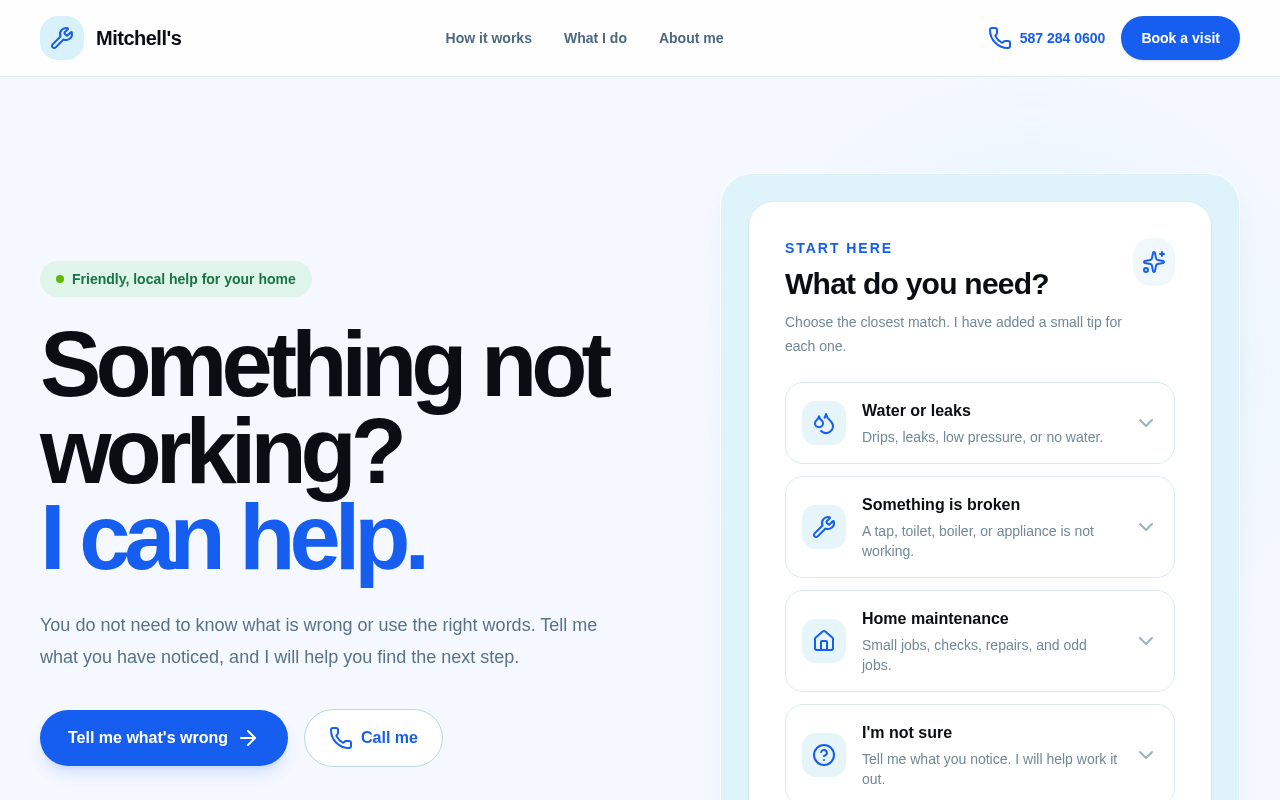
Mitchell's homepage on desktop: the headline 'Something not working? I can help.' next to a 'What do you need?' panel with four options.
Role
UX research, UX & UI design
Client
Mitchell, local plumber & handyman
Platform
Responsive web
Pages
Home, About, Request form
Tools
v0, Framer, Figma, Tailwind CSS, Resend

Overview

Booking a plumber starts with a question most people can’t answer.

Mitchell is a local plumber and handyman. His customers, many of them older, often call because "something isn't working", not because they know the part that broke. Most trade sites ask them to pick a service first. I designed Mitchell's site end to end, from the brief to a working request form.

01 · Discover

Who needs a plumber, and what stops them asking?

The brief

Modern, clean and simple. Blue and light colours. Easy for elderly visitors to use.

The audience

Older homeowners, renters and anyone without the words a tradesperson would use.

The core problem

“I don’t know what’s wrong, but something isn’t working.”

Key insights

From conversations with Mitchell about the calls he gets, and a review of local trade websites.

  1. 1People describe symptoms, like a drip or a noise, not services like “valve replacement”.
  2. 2Long service menus and small text make older visitors give up or call to ask.
  3. 3Trust comes from a real person with a name and a face, not a company logo.
  4. 4Many people still prefer to phone, so calling has to be one clear tap away.

02 · Define

One person, and one clear problem to solve.

Proto-persona

Margaret, 72

Retired, lives alone, owns her home

“There’s water under the sink and a funny noise from the pipes. I don’t know what to call it, and I don’t want to sound silly on the phone.”

Goals

Get it fixed by someone kind and honest, without being talked down to.

Frustrations

Jargon, tiny text, long forms and buttons that do something unexpected.
How might we

…help someone ask for help when they can’t name the problem?

Success means a visitor can describe what they noticed and reach Mitchell in under a minute.

03 · Ideate

The main user flow, in five calm steps.

  1. Home
  2. What do you need?
  3. Quick tip
  4. Tell me what’s wrong
  5. Mitchell calls back

Symptoms, not services

The homepage asks one question with four plain options. Each opens a short, safe tip and a way to ask for help.

Two actions, never mixed

“Call me” always phones. “Book a visit” always opens the form. No button does both.

In Mitchell’s own voice

All copy is written in first person. “I can help” reads like a neighbour, not a call centre.

04 · Design

A friendly system, built for easy reading.

  • Mitchell blue#1559ED
  • Sky#E0F2FE
  • Ink#0B1220
  • Trust green#16A34A

Bright blue for actions, a soft sky tint for panels and green only for trust signals. Large, tight headlines, 18px body text and big rounded buttons that are easy to tap.

Home: one question instead of a service list

Visitors pick the closest match and get a small tip first. If it’s still not right, the next step is always “Tell me what’s wrong”.

mitchells.store

Homepage with the 'What do you need?' panel listing Water or leaks, Something is broken, Home maintenance and I'm not sure.

About: a real person behind the work

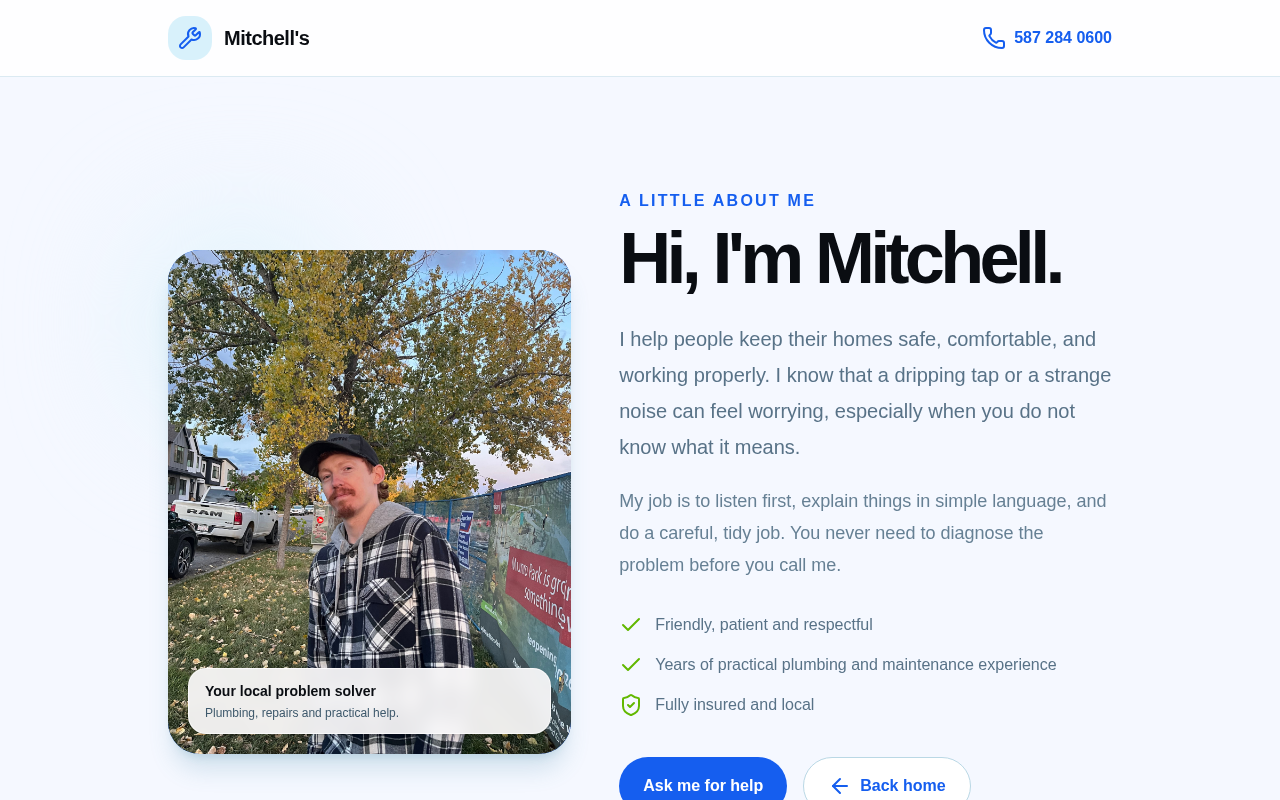
A real photo of Mitchell and a few honest lines build trust before anyone picks up the phone.

mitchells.store/about

About page with a photo of Mitchell and the headline 'Hi, I'm Mitchell.'
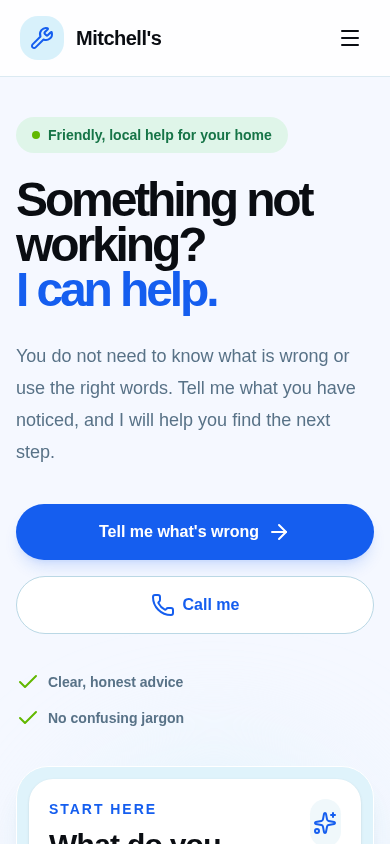
Homepage on a phone.
Home on mobile
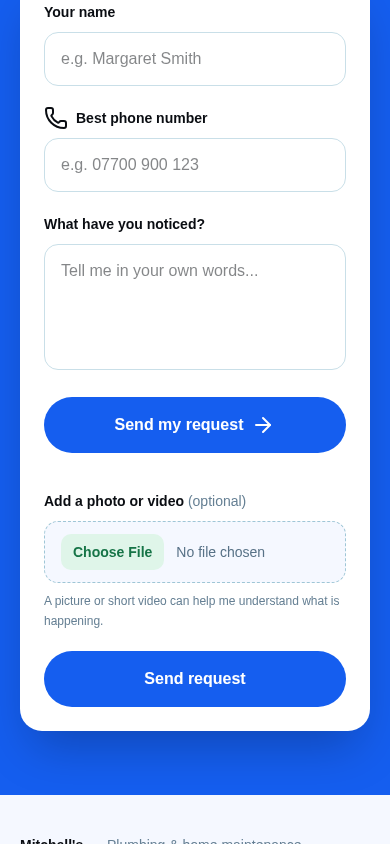
Request form on a phone with name, phone number, what have you noticed, and an optional photo or video.
Three fields, plus an optional photo

05 · Test & iterate

Reviewed with Mitchell, one round at a time.

Each round, Mitchell walked through the site as a customer would. Here is what we found and changed.

review rounds
5
form fields
3
  • “Book a visit” also started a phone call, which surprised people.

    Split into two separate actions: Call me and Book a visit.

  • The phone number was easy to miss and hard to read aloud.

    Added a phone icon and grouped the digits: 587 284 0600.

  • Some problems are hard to explain in words.

    Added an optional photo or video upload to the form.

  • Nobody could tell if the request had gone through.

    Added a sending state, a clear error message and email delivery to Mitchell.

  • The first version felt generic and too quiet.

    Bigger, bolder headlines and a brighter blue, then a full mobile pass.

06 · Outcome

A friendly website where the first step is simply saying what you noticed.

  • A symptom-first homepage turns “I don’t know” into a clear next step.
  • Every request reaches Mitchell by email, with a photo if the customer adds one.
  • Next: test with older adults in person and add text message confirmations.
Visit mitchells.store